Time tracking and project hours for events

Events and projects under control

Whether it is exhibition stand building, a technical crew, a hostess agency or a catering team – your people are in the exhibition hall today and on the festival site tomorrow. With clockin they record their hours right at the location, assign them to the event, and you can see set-up and take-down at any time, even with no signal.

  • DSGVO
  • 100 % Made in Germany
  • EuGh-konform

clockin begeistert bereits über 9.000 Unternehmen

Kommt dir das bekannt vor?

  • Timesheets get lost between events
  • Set-up and take-down hours cannot be assigned to anyone
  • Contracts for temporary staff have to be pulled together by hand every time
  • Proof for customers per event is missing entirely

Du wünschst dir:

  • Record hours in the app right at the location
  • Set-up and take-down booked as their own project phase
  • Temporary staff hours exported automatically for payroll
  • Proof per event for the customer in seconds

The right features for the Events industry

Time tracking

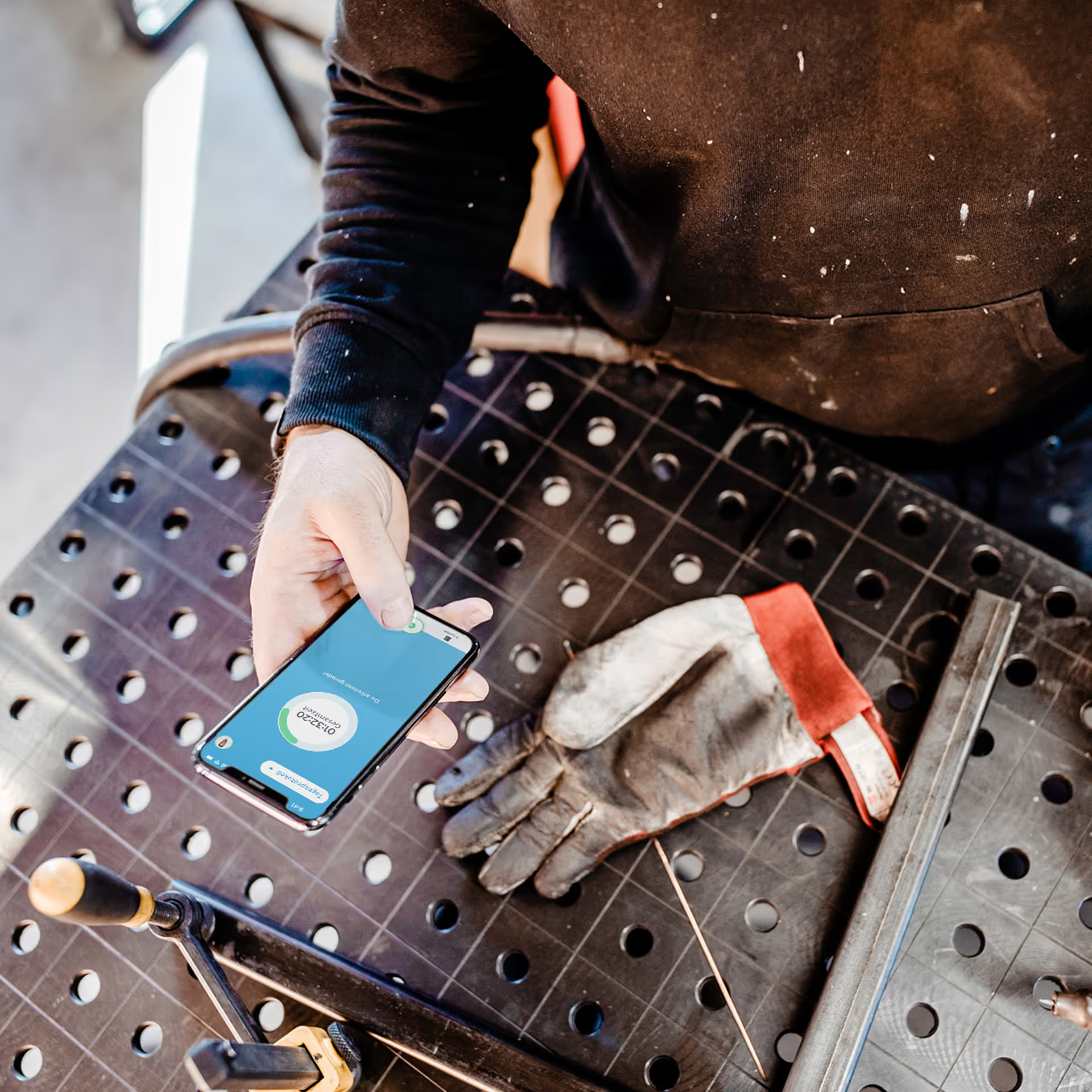
Mobile time tracking in the app

Your team clocks in with one tap on the smartphone – right on site. For large crews the crew function even lets everyone use a single device. That saves you time and keeps you on top of things.

  • Ideal for changing locations and temporary jobs
  • Immediately clear for casual staff too
  • Record breaks and rest periods

Project time tracking

Project time tracking for events and customers

Assign working hours easily to particular events, projects or customers – including set-up and take-down.

  • Clear event documentation
  • Better costing and proof for customers
  • Ideal for billing

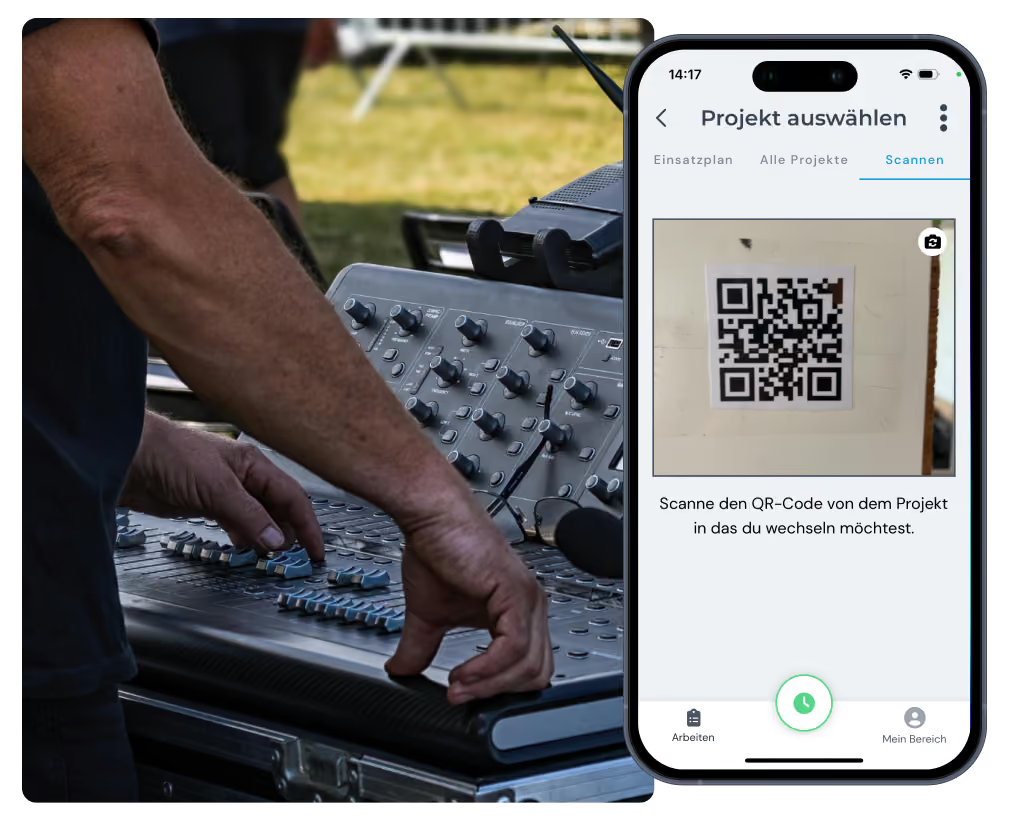
QR code time tracking

QR code time tracking for large teams

Just scan the QR code at the location and off you go. Perfect for unplanned jobs with a lot of casual staff and freelancers.

  • No training needed
  • No device chaos
  • Efficient even when staff change frequently

Payroll with DATEV

Automatic payroll with DATEV

Save yourself the manual typing: export finished timesheets at the end of the month or set up automatic payroll through the DATEV integration.

  • Less administrative effort
  • Audit-proof billing
  • Ideal for short-term employment

Schnittstellen

Nahtlos verbunden mit deinen Tools

clockn übergibt zeiten direkt an deine bestehenden Systeme – kein manueller Export, keine Doppelareit.

Weitere Funktionen

Alles, was dein Betrieb braucht, an einem Ort.

Personal employee self-service

  • Meet your transparency obligations as an employer
  • Self-service area for employees
  • View working hours, manage corrections & requests

Digital customer sign-off

  • Collect signatures right in the app – on site with the customer
  • Sign-off saved to the project automatically
  • Send it straight to the customer by email if you want

Digital checklists

  • Structure your workflows & avoid mistakes
  • Capture photos, entries & signatures on the spot
  • All checklists digital and available at any time

Simple digital employee file

  • Store contract data in a legally compliant way
  • Document staff development & agreements
  • Secure document upload to GDPR standards

Customer management

  • Manage all customer data centrally and clearly
  • Linked directly to projects & appointments
  • No duplicate work thanks to smart data transfer
Add-On

Shift planning

  • Build schedules intuitively with drag-and-drop and employee self-service
  • Live updates for your team through the clockin app
  • Automatic planned vs. actual comparison as you build the schedule
Das sagen 9.000+ Kunden über clockin
OMR Rating
4.9
408 reviews
Google Review
4.5
37 reviews
trusted
4.7
2,252 reviews
App Store Rating
4.7
1,550 reviews
Stand: Juni 2026

Pay only for what you need –
with a contract term that suits you.

Spare bis zu 10 % bei einer Laufzeit von 24 Monaten
Team

Starter

Out of the paperwork chaos. Your first step into digitalization.

3.59 €
per month / user, billed every 2 years*
  • Mobile and on-site time tracking
  • DATEV export for hours reports
  • Manage calendar & absences
  • Custom branding

*Alle Preise zzgl. gesetzl. MwSt. + Plattform-Pauschale (10€/Monat) bei unter 5 Nutzern

FAQ

Frequently asked questions

I have different temporary staff and freelancers at every event – how does time tracking work with changing crews?

Your crew clocks in with one tap in the smartphone app. For large teams you simply put up a QR code at the location that everyone scans – automatically assigned to the right event. Crews can also clock in together on one device, handy when not everyone has a company phone. For permanent locations such as your office you set up a tablet terminal, and for hours worked from home the browser is enough.

Can set-up and take-down hours be recorded separately from the event itself?

Yes, that is exactly what project time tracking is made for. You create separate phases for each event – for example set-up, running the event, travel time and take-down. That way you see which resources were tied up in which phase, you can cost more accurately and you can give your customer transparent proof. Breaks and waiting times are documented separately too.

What happens if there is no signal on the festival site or in the exhibition hall?

clockin also works offline. The app stores all hours locally on the device and syncs them automatically as soon as there is a connection again. On festival sites, in exhibition halls or at rural locations that is decisive – your team can always clock in, even with no reception.

How does clockin help with payroll for mini-jobbers and short-term staff?

You export all recorded hours straight to your payroll office or via the DATEV integration. With a lot of mini-jobbers, working students and short-term staff this saves you the error-prone Excel list and still gives you legally compliant records for every payroll run.

Can I use clockin just for individual large events or for external service providers?

Yes, clockin is completely flexible. You use it only for large events, for particular project phases or for external teams – exactly as you like. Temporary accounts for casual staff or subcontractors are possible too on the monthly subscription, without tying yourself in for the long term.

How quickly can I set clockin up for my next event?

You register, invite your team and get going straight away – in a few minutes. There is no training and no separate activation needed. The app is so simple that even casual staff can clock in immediately without a briefing.

Try it out for yourself!

Enjoy 14 days of full access, no strings attached and risk-free.
Person holding a smartphone with the display visible on a workbench next to a dirty work glove.
Test for
14 days
now