





Mobile project documentation
- Time tracking on projects and activities
- Mobile project files with checklists, photos and notes
- Collect signatures and digital customer sign-offs
Store documents, information and progress centrally with the digital construction file software from clockin
.avif)




A digital construction file is created automatically for every construction project. Here you store documents, record progress and document your project with photos or short videos – the AI turns voice recordings into structured entries automatically.


On the job site or in the office – everyone on the team works with the same up-to-date project data. Notes, photos and video recordings land straight in the construction file and are visible to everyone right away.
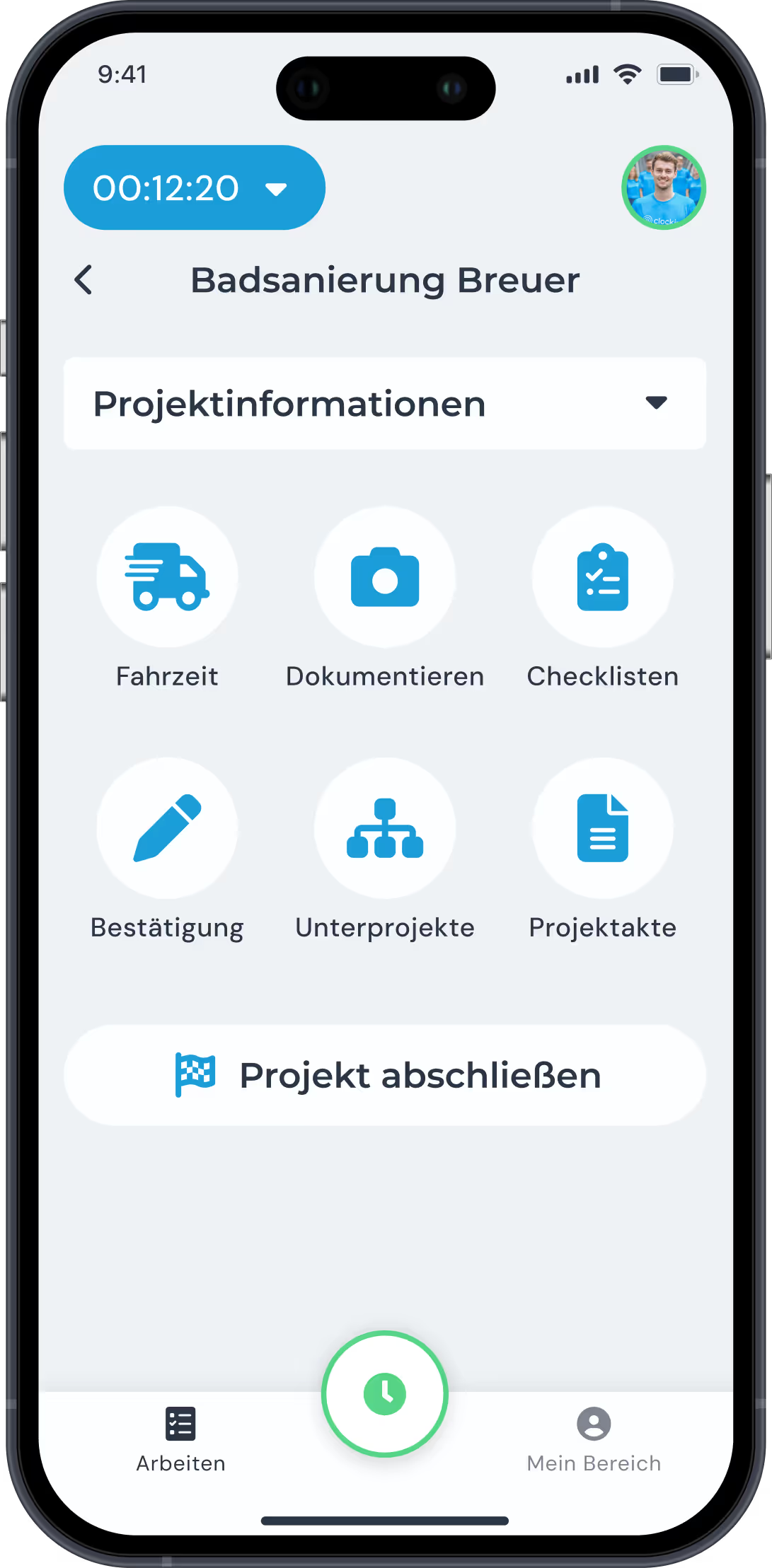

Export the construction file as a PDF or create a view-only link that lets customers see the current progress. You decide which content is visible – for transparent, professional customer communication.

Für alle, die lieber anpacken als verwalten. clockin bringt Büro, Team und Kunde zusammen. Und nimmt dir ab, was dich aufhält.


With clockin you go digital with your time tracking in no time. Start your free trial, set everything up yourself or use our service – within a few hours the paperwork is behind you and you track working hours simply via the app!


A digital construction file is the electronic collection of all project-relevant paperwork for a construction project – from documents and photos through customer communication to progress notes. It replaces the classic paper folder and makes all information available at any time and from any device. With clockin, a digital construction file is created automatically for every project and filled in chronologically.
A digital construction file holds every document relating to a construction project: project information and customer data, photos and video documentation of the build progress, notes and tasks, customer communication as well as shared reports and acceptance documents. In clockin this content is captured directly in the app and assigned automatically to the right project.
With digital construction file software you keep an overview of ongoing and completed construction projects at all times, can respond quickly to queries – and save a lot of time on follow-up work.
Yes. All authorized users can add content via the clockin app – for example notes, photos or checklists. The result is one complete, shared record.
Yes. With the clockin software you can either export the construction file as a PDF or create a view-only link that lets customers see the current project status. You decide which content is visible – so communication stays transparent without customers getting access to internal notes or other projects.
The digital construction file collects all the documents for a construction project in one place, for example plans, contracts, permits and acceptance reports. The digital site diary records day by day what happens on site: who was there, what work was done and whether there were any problems. The site diary is usually part of the construction file.
All entries are saved offline and synchronized automatically as soon as there is a signal again. The construction file stays up to date – even without a connection.
clockin is built specifically for trades businesses and construction companies and is built on real-world experience. The focus is on simple operation, quick setup and bringing time tracking, project documentation and construction documentation together in one app. No training needed, no paper chaos.
Definitely. Even on smaller jobs the digital construction file app gives you clean documentation – and you do not have to hunt for information when questions come up.
The digital construction file suits every trades business and construction company that wants to make its project documentation more structured and efficient – from sole traders to businesses running several teams on different job sites. Businesses still working with WhatsApp, paper slips or unsorted photo folders benefit most.