AI call notes
Just talk. The minutes are ready straight away.
With clockin AI call notes, you record conversations at the touch of a button and automatically get a summary and to-dos for your team



4.9
9,000+
Schneller beim Kunden
Keep talking. clockin writes the minutes.
With a customer, in a team meeting or at a handover: one tap and clockin captures everything. The summary and to-dos are in the office straight away, whatever language was spoken.
Between the conversation and the desk, the most important details get lost.
“What did we agree again?”
Without a recording it's your word against theirs. You pay for the complaint.
“Who's taking care of that?”
The morning huddle is over and nobody's quite sure who's doing what.
“Does the office know yet?”
When someone covers sick leave or shifts change, the knowledge stays with the colleague who isn't there.
Here's what it looks like
What you say becomes finished minutes
Einbauküche nach Aufmaß: Klick Dich durch die Varianten.
Aufmaß erledigt
Du legst das Angebot für die Einbauküche über 8.000 € netto an. Kundendaten und Positionen zieht sich clockin automatisch.
Logo, Bankdaten und Standardtexte sind schon drauf.
Der Kunde handelt
Du gibst 5 % Nachlass auf den Gesamtbetrag. Umsatzsteuer und Summe rechnet clockin direkt neu, Du musst nichts nachrechnen.
Rabatt geht auch je Position, netto oder brutto.
Auftrag vom Generalunternehmer
Du baust die Küche als Nachunternehmer ein. Am Beleg stellst Du Reverse Charge nach § 13b ein. Dann weist Du keine Umsatzsteuer aus, weil Dein Auftraggeber sie selbst abführt.
Der Pflichthinweis steht automatisch auf dem Beleg.
Der Kunde sagt zu
Aus dem Angebot machst Du mit einem Klick die Auftragsbestätigung. Daraus erstellst Du die Abschlagsrechnung über 30 % vor der Montage. Kunde und Positionen sind schon drin, abgetippt wird nichts.
Die Schlussrechnung zieht den Abschlag später automatisch ab.
Vereinfachtes Beispiel. Beträge mit 19 % Umsatzsteuer, bei Reverse Charge ohne.
Prefer to try it yourself?
Try call notes free for 14 days or let us show you in 15 minutes.
How it works: tap, talk, done

How businesses like yours use call notes
Final inspection with the customer
Record defects, requests and extra work right there during the walkthrough. The office has the minutes before you're back in the van
On-site consultation
What the customer wants, which materials are missing, when work continues: all captured in one conversation and turned into tasks for the team
Site walkthrough
Just talk during the walkthrough with the client. Special requests and new areas go straight to the site manager
„Was kostet uns der Messestand?“
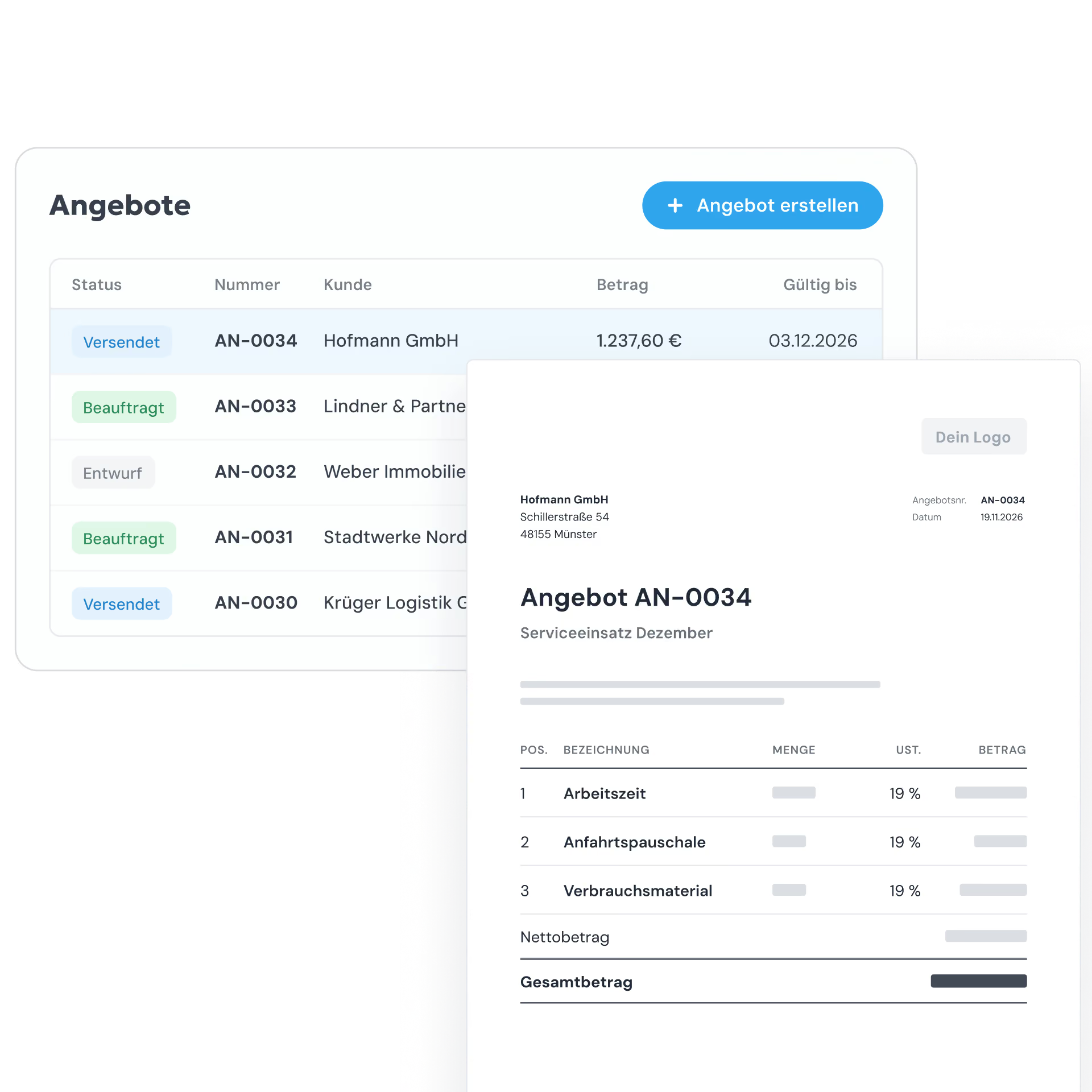
Mit clockin geht das Angebot für Lichtkonzept, Technik und Auf- und Abbau raus, solange das Briefing noch frisch ist. Der Kunde ist schon in clockin, Planung, Technik und Personal trägst Du als eigene Positionen ein. Sagt er zu, macht clockin mit einem Klick die Auftragsbestätigung daraus.
Das Angebot entsteht direkt im Projekt
In clockin hängt das Angebot direkt am Projekt, und alles, was danach kommt, auch: Auftragsbestätigung, Rechnungen, Zahlungen. Wer den Auftrag öffnet, sieht sofort, was angeboten, bestätigt und bezahlt ist.
Kunde, Adresse und Team stehen im Projekt, das Ihr ohnehin nutzt.
Das Angebot hängt direkt am Auftrag, nichts wird doppelt angelegt.
Angebot, Auftragsbestätigung und Rechnungen findest Du im Projekt.
Ein Preis für Deinen ganzen Betrieb
- Angebote
- Auftragsbestätigungen
- Rechnungen
- E-Rechnung
Ein Modul, beides drin: Mit den Angeboten bekommst Du auch Rechnungen und E-Rechnung, ohne Aufpreis. Du zahlst nicht pro Nutzer, sondern eine Pauschale je Lizenzband. Wähl aus, wie viele Leute bei Dir mit clockin arbeiten.
für 1 bis 20 Mitarbeitende
Ein fester Betrag, egal wie viele im Büro Angebote und Rechnungen schreiben. Buchbar in jedem clockin-Paket.
Frequently asked questions
What can I use call notes for day to day?
For customer appointments, inspections, team meetings and handovers: anywhere agreements would otherwise end up on scraps of paper
Where do I find the finished notes?
In the Office Center under Communication, with the summary, tasks, original recording and transcript
Can I edit the minutes afterwards?
Yes, you can edit the summary and tasks at any time
Can I try call notes?
Yes, for 14 days with all features, no automatic subscription and no payment details
Was ist der Unterschied zu Angeboten in Word oder Excel?
In Word oder Excel tippst Du Kundendaten, Positionen und Preise jedes Mal von Hand ein und musst die Angebotsnummern selbst im Blick behalten. In clockin wählst Du Kunde und Artikel einfach aus, die Nummern laufen automatisch und lückenlos weiter, und der Umsatzsteuerhinweis passt immer. Du verschickst das Angebot als PDF direkt per E-Mail aus clockin, siehst den Status in der Übersicht und machst bei einer Zusage mit einem Klick die Auftragsbestätigung oder Rechnung daraus. Und weil Dein Team Zeiten und Material schon in clockin erfasst, landen sie direkt auf der Rechnung, ohne dass jemand Stundenzettel abtippt.
Live-Webinar · kostenlos
Dein erstes Angebot mit clockin, live gezeigt
Nils aus unserem Customer Success zeigt in 45 Minuten, wie Du ein Angebot mit Rabatt anlegst, es als PDF verschickst und mit einem Klick zur Auftragsbestätigung und Rechnung machst. Danach beantwortet er Deine Fragen.
Dienstag, 8. Dezember 2026 · 11:00 bis 11:45 Uhr