Pro

Job-based time tracking

Track hours, steer your jobs

Track job hours quickly, precisely and flexibly - for maximum efficiency, a clear overview and seamless billing.

  • GDPR
  • 100% Made in Germany
  • ECJ-compliant.
You can try clockin free for 14 days, with no payment details required.
Portrait von Paula MenninghausPorträtfoto eines lachenden jungen Mannes als Kundenstimme-AvatarPortrait eines Mannes mit BasecapPortrait einer lachenden Frau
4.9
412+ Bewertungen auf OMR
Mockup: clockin App "Projekt auswählen", clockin Büro-Center "Projektübersicht", clockin Büro-Center "Anayls", Logo sevdesk und Lexware OfficeMockup: clockin App "Projekt auswählen", clockin Büro-Center "Projektübersicht", clockin Büro-Center "Anayls", Logo sevdesk und Lexware Office

Your benefits

Everything under control
Record working hours per job and keep an eye on progress and costs.
Increase revenue
Create exact invoices thanks to time tracking down to the minute - no guesswork.
Better planning
Use clear data to make the most of your team and steer projects efficiently.

Feature highlights

Track project hours via app

Book job hours straight from the app

Your team can record working hours in seconds via the app and assign them directly to projects or customer jobs.
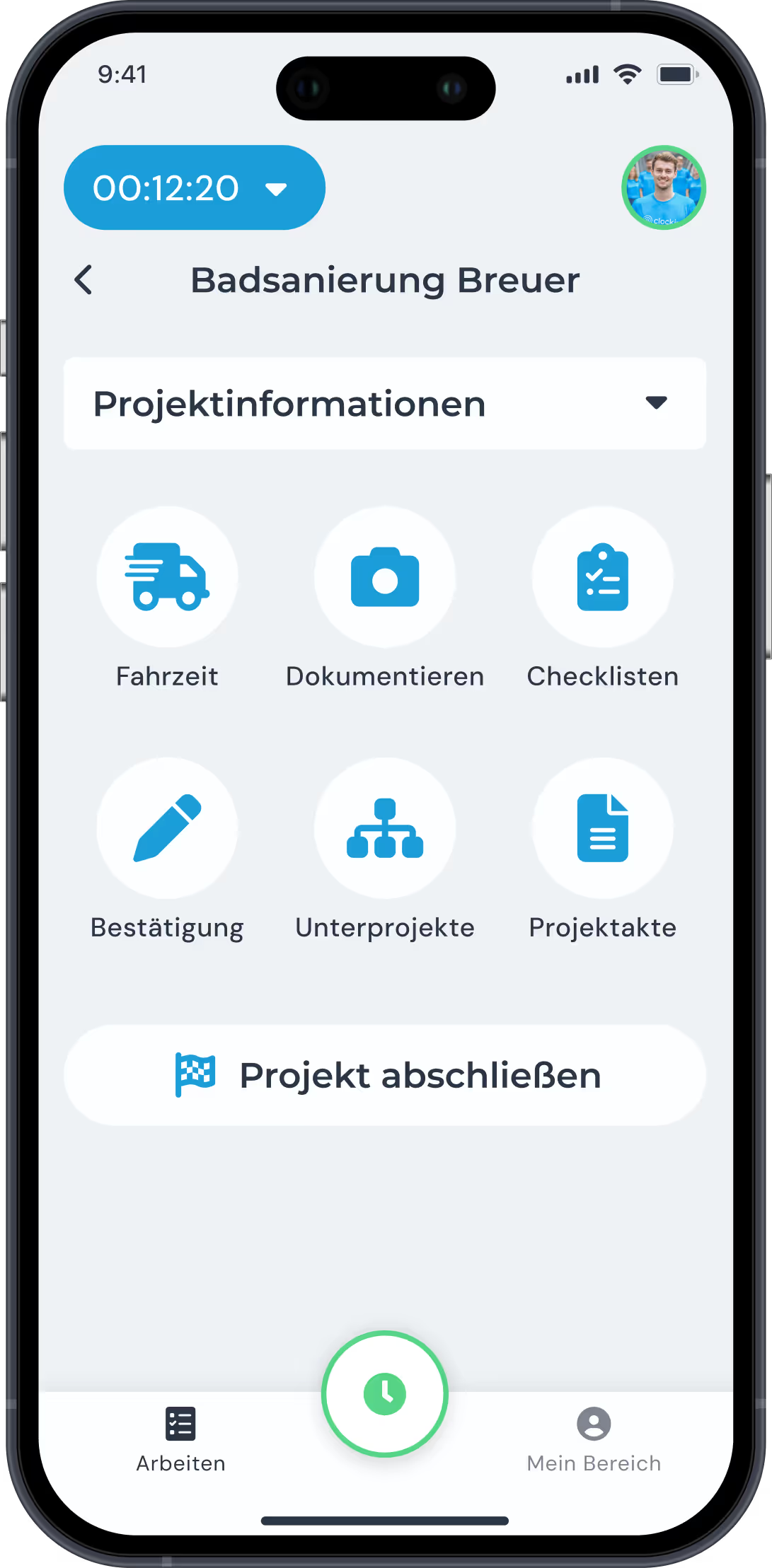
  • Simple selection of projects or subprojects
  • Tracking of travel time, breaks and additional services
  • Works offline too, with automatic synchronisation
Mit der clockin Projektzeiterfassung Zeiten für Projekte oder Dienstleistungen erfassen
Lexware Logo

Real-time overview and job costing

All jobs and hours live at a glance

In the Office Center you can see in real time how many hours have been booked to a project - including a planned vs. actual comparison.

  • Transparent live data for all projects
  • Automatic alerts when hours run over
  • Simple project and resource planning
Übersicht über die Analysefunktionen des Büro-Centers von clockin Übersicht über die Analysefunktionen des Büro-Centers von clockin

Complete documentation and proof

Digital proof of work for customers

All recorded hours are documented in a legally compliant way and can be supplemented with photos, checklists and notes.

  • Proof for the customer ready in seconds
  • Documentation of additional services and materials
  • Digital signature function for immediate sign-off
Mit der clockin Projektdokumentation immer den Überblick über alle Abläufe behaltenMit der clockin Projektdokumentation immer den Überblick über alle Abläufe behalten

Analytics and reporting

Project reports and costs under control

Thanks to automatic reporting you know straight away how profitable jobs are and have all the data you need for the final costing.

  • Project and employee reports
  • Export as a PDF or send straight to the customer via a read link
  • A data basis for future cost estimates

Seamless billing

Automated invoices and payroll

The recorded hours can be transferred straight to DATEV, Lexware Office or your payroll accounting via an integration.

  • Exact data for invoicing
  • Automatic premium pay for night, Sunday and public holiday work
  • Export hours reports with a single click

My area - employee self-service

Everyone sees their own hours and overtime

Employees can view their own working hours, overtime and absences - full transparency for everyone.
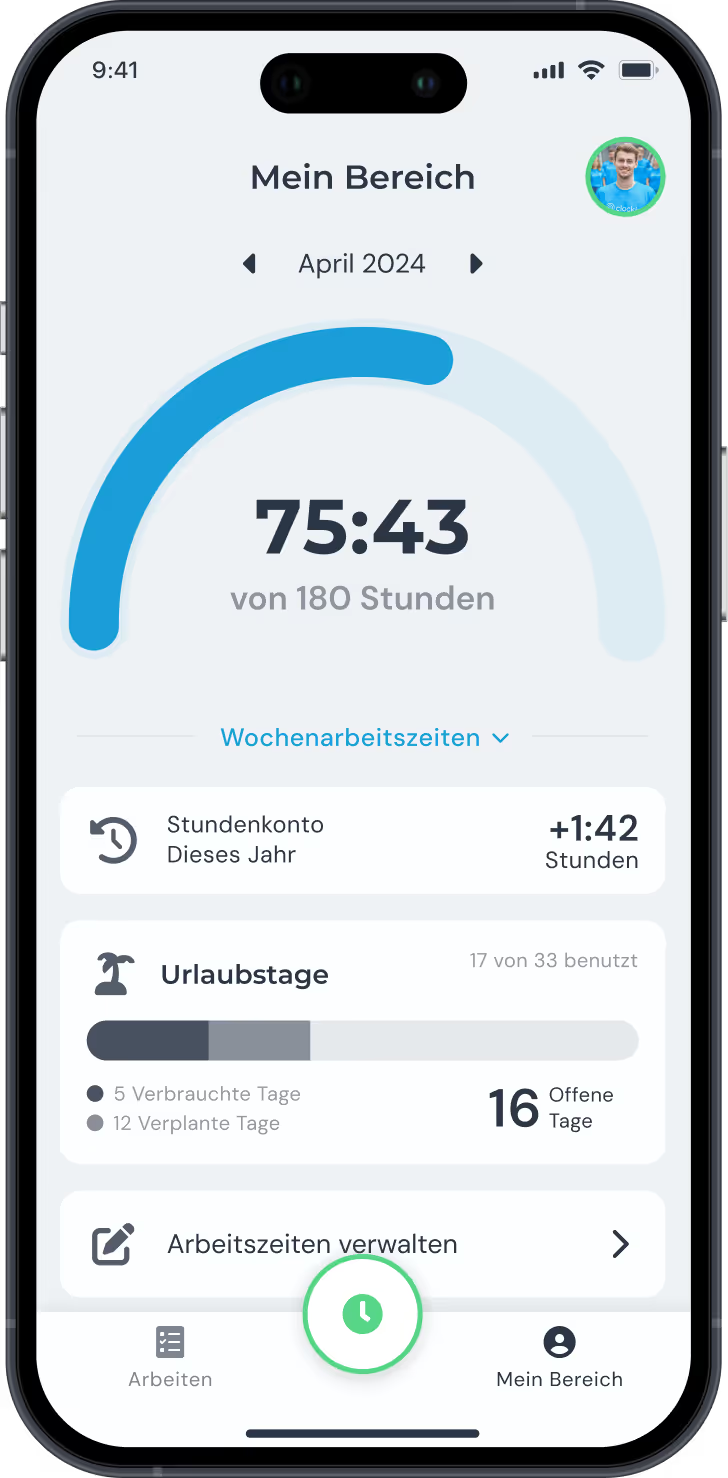
  • View vacation and sick leave notifications
  • Manage personal working time accounts
  • Self-checking for more personal responsibility
Mit der clockin Projektzeiterfassung Zeiten für Projekte oder Dienstleistungen erfassen

In nur 3 Schritten startklar mit clockin!

With clockin you go digital with your time tracking in no time. Start your free trial, set everything up yourself or use our service – within a few hours the paperwork is behind you and you track working hours simply via the app!

Start your free trial
Register for free and get going right away.
Set up
Set it up yourself or use our setup service.
Start project time tracking
Download the app, onboard your team, done!

FAQ

We have collected and answered the most common questions about job-based time tracking for you.
Which devices are supported?

The clockin app supports Android version 6 and iOS 15.4 or newer. For the browser version you need Mozilla Firefox, Google Chrome, Opera, Microsoft Edge or Apple Safari.

Can job-based time tracking be linked to payroll accounting?

Yes. The recorded hours can be passed straight to DATEV – so you save duplicate work and avoid transfer errors.

How does job-based time tracking help me with final costing?

You see exactly how much time went into which project – and whether effort and budget match up. That helps you with planning and quoting.

Can job-based hours be edited or corrected afterwards?

Yes, with the right permissions. Hours can be adjusted with a comment – and stay traceable for the office.

Can several employees track time on the same job at once?

Of course. Everyone records their own hours, but all entries come together in the project file – for full transparency across the team.

Can breaks and travel time be assigned to a job as well?

Yes. You decide which hours are documented per project – including travel time, waiting time or breaks, if you want.

What is the difference between normal time tracking and job-based time tracking?

With project time tracking, every recorded entry is assigned directly to a specific project or job – so you see who worked on what and when.

Does every employee need their own smartphone?


No. With the crew function the whole crew can be booked in the clockin app using just one smartphone. A mobile contract is not required. The app also works offline. As soon as an internet connection is available (via Wi-Fi, for example), the data is transferred to the Office Center.

Jetzt unverbindlich 14 Tage testen – ohne automatisches Abo

clockin ist in nur 15 Minuten startklar